

Specialized DCS Appliance Repair in Los Angeles and Orange County
A DCS DishDrawer lid that cannot move freely may be blocked by loading, alignment, actuator components, or a control problem. Forcing the drawer can make the damage worse.
A DishDrawer lid that will not close usually comes down to something in the way: an item standing above the rack, cutlery that has shifted, or a drawer rubbing on its surroundings. Clear those first and move the drawer gently by hand. If it still cannot seal without force, stop using it and book service.
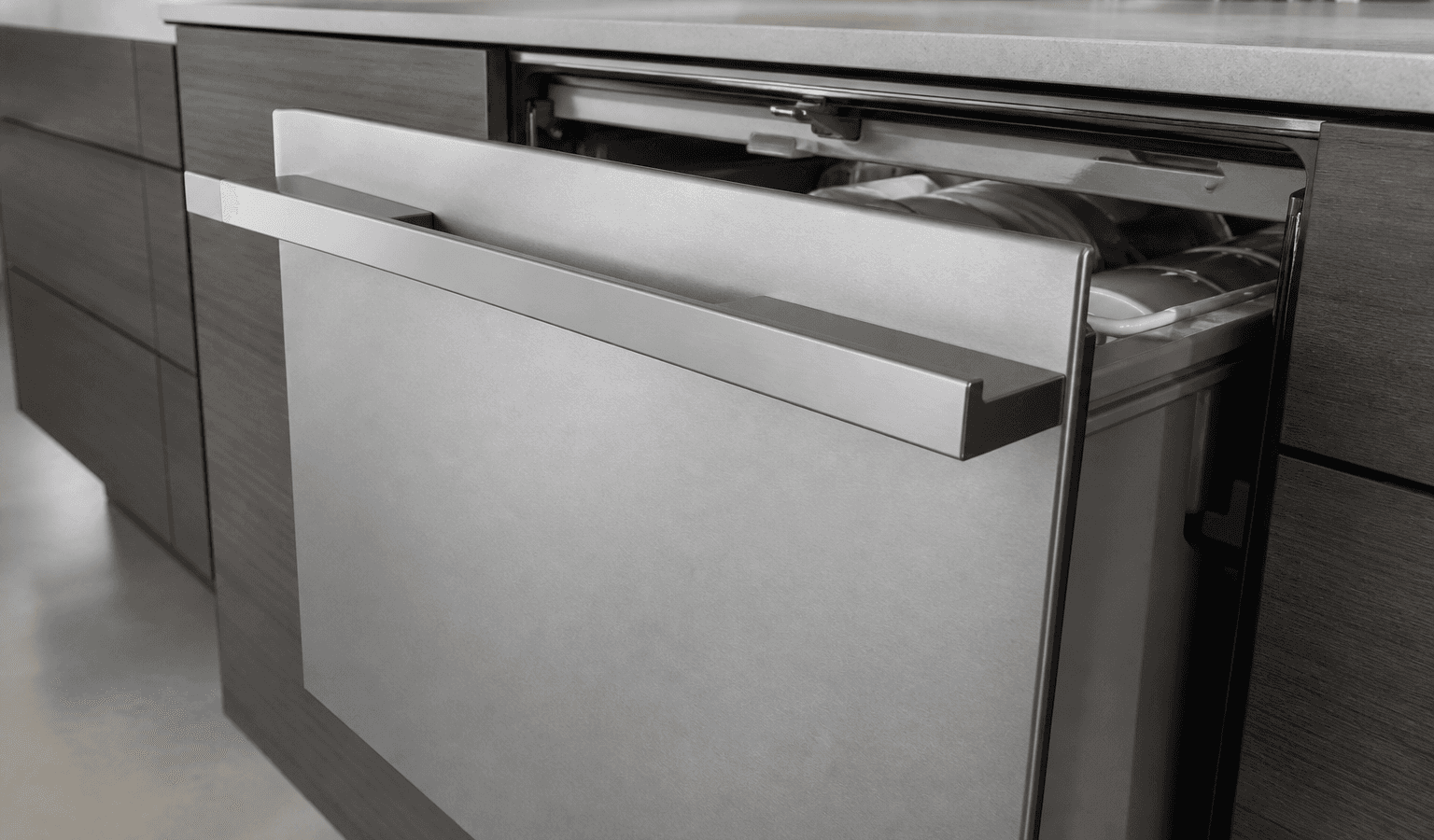
On a DishDrawer, a lid closes off the wash chamber while it runs. When that lid will not travel freely, the drawer might not start, might halt partway through a cycle, might beep, or might show a lid-related code.
If the drawer is still functioning, hold off on replacing anything. Run through the simple conditions that are safe for you to verify, and use the symptoms that remain to decide if professional testing is likely to be required.
A tall dish or utensil is above the permitted loading height.
The drawer is misaligned or obstructed by cabinetry.
Debris interferes with lid movement.
A lid actuator or mechanical linkage is worn or jammed.
A lid-position input or wiring issue.
Electronic control of the lid system is not operating normally.
| Symptom | What it can point to | What you can check |
|---|---|---|
| Drawer stops short of fully closing | A tall item, pan handle or utensil above the rack | Remove protruding items and try again with light hand pressure |
| Drawer closes but will not start and beeps | The control not confirming the lid or drawer position | Reload so nothing sticks up, then look at the panel for a code |
| Drawer catches or drags along the way | Cabinet face or neighboring hardware touching the drawer front | Look at the clearance around the front without forcing it |
| Grinding or clicking as the lid moves | A worn or jammed lid mechanism | Stop using the drawer and arrange service |
Remove tall utensils, pan handles and anything standing above the rack, then move the drawer gently by hand.
Remove tall utensils, pan handles, and anything protruding above the rack.
Open and close the drawer gently; do not force it.
Inspect only visible areas for debris.
See whether the cabinet face or nearby hardware gets in the way of the drawer’s travel.
Note down U2, F5, F6, F7, E5 or any other code connected to the lid if one appears.
Stay out of live panels, do not defeat safety switches or change gas components, and stop running any appliance that leaks, overheats, trips a breaker repeatedly, or has a gas smell that stays.
No. Forcing it can bend hardware or damage an actuator, so stop and book service if normal hand pressure does not move it.
Lid, actuators, rails and drawer alignment all depend on each other. Hauling on the drawer can turn a minor obstruction into bent hardware or a damaged actuator. When ordinary hand pressure does not budge it, find the obstruction instead of adding force.
The wash chamber has to be sealed before water is sprayed, so the lid is part of the cycle, not just a cover. The use-and-care guide for DishDrawer models warns that items protruding from the drawer can stop the internal lid from sealing, and that this could lead to a service call. In other words, a loading mistake can look exactly like a failed part.
The guide also says the drawer should be used with the motor assembly, filter plate, drain filter and spray arms in place. If any of those were removed for cleaning and put back unevenly, take a moment to confirm they are seated before you decide the lid itself is at fault.
The loading tips in the guide also protect the lid: cups and bowls face down, plates and cutlery not nested, and no overcrowding. A drawer packed to the brim is the most likely to push something up into the lid path. Long-handled items are better laid flat than stood on end, and anything that has slipped through the baskets should be taken out before the next cycle.
One planned restart may help when the electronics look frozen or the problem started after a brief loss of power. Use the usual disconnect, power button or breaker, and only if the user guide allows it.
Restarting does not fix a lasting fault, whether it is electronic, wiring or sensor related, or mechanical, gas, water, heating or refrigeration related. If the lid trouble returns after the drawer resumes normal use, cycling the power again and again is likelier to postpone diagnosis than to resolve anything.
Stop using the drawer and arrange service if the lid sits crooked, the actuator grinds or clicks, or the drawer will not open or shut without force.
Keep home checks to those an owner can reach, such as cleaning, settings, loading, vents, hoses you can see, cookware and other items meant for users. Testing the electrical system inside, gas-pressure work, sealed refrigeration work and repairs to powered parts require suitable training and equipment.
A code reports what the control sensed, not which part caused it. On Classic-style DishDrawer displays, the guide lists E5 as an internal lid fault, while on Phase 5 models the article above describes U2 as restricted lid movement. Both can be set off by something as simple as a protruding utensil, so clear the drawer before assuming anything inside has failed.
If the code returns after you have cleared the loading and the drawer moves freely, the symptom is no longer a loading issue. That is the point to stop retrying and hand the question to a technician who can test the lid movement under power.
When the basic checks leave the symptom unchanged, a technician can test the dishdrawer’s relevant parts as they operate, rather than replacing them on a guess. Before you book, collect the complete DCS model number, serial number, any code or light pattern displayed, and a short account of when the problem occurs. Those details narrow the search to the right product generation and diagnostic procedure.
Intermittent symptoms are where professional diagnosis counts most. Service information specific to your model, measurements at the components and stored diagnostic records can surface what an outward look will miss.
DCS Error Codes
DCS DishDrawer Repair
DCS Appliance Repair
DCS Model Number Guide
Related symptom and maintenance articles for this appliance family
On supported Phase 5 models, U2 is associated with restricted lid movement.
Yes. Items that extend above the rack can interfere with the lid mechanism.
Yes. If the control cannot confirm the expected lid or drawer position, it may prevent operation and alert the user.
Share a few details and we’ll confirm an appointment. Prefer to talk? Call us and we’ll help right away.
Fields marked with * are required.