

Specialized DCS Appliance Repair in Los Angeles and Orange County
If the DCS DishDrawer spray arm is not spinning, dishes may stay dirty even though the drawer fills and drains. Start with loading, spray holes, filters, and water circulation.
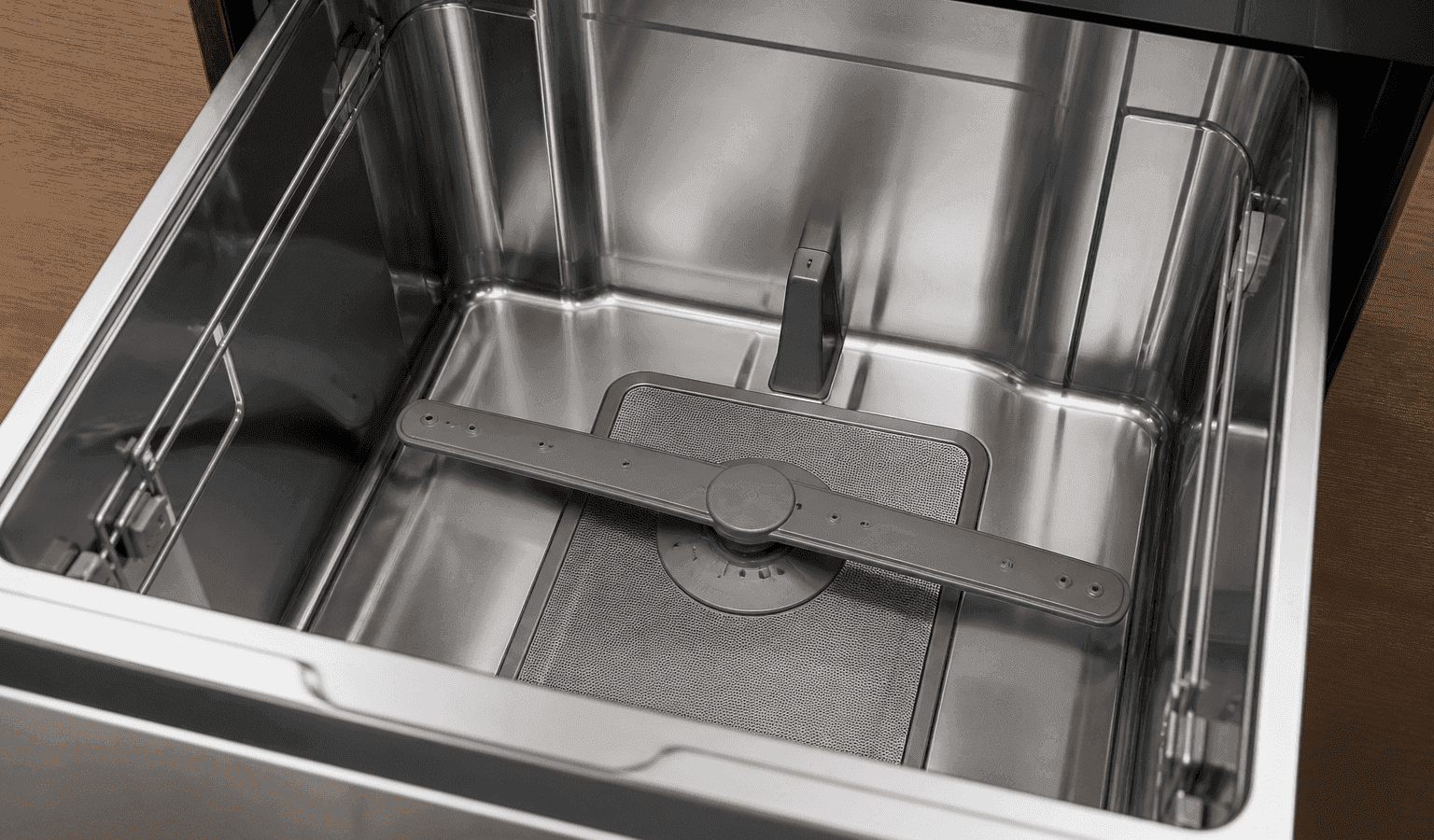
When a DishDrawer spray arm does not turn, the guide for DishDrawer models lists the physical causes first: a plate or cutlery blocking it, items that fell through the baskets, or blocked spray holes. Check with the drawer off, clean the arm and filters as the manual directs, and book service if circulation stays weak.
For the spray arm to turn, it needs room to move and enough water pushing through it. An arm that sits still might be blocked by something easy in the rack, or it might point to a bigger problem with wash circulation.
With the drawer still running, do not jump to replacing parts. First confirm the easy conditions that are safe to check, then let the symptoms that persist show whether professional testing will be needed.
A plate, utensil, or pan handle physically blocks rotation.
Food particles obstruct spray-arm openings.
Filters are restricted and circulation is reduced.
The drawer is not filling with enough water.
Excess foam interferes with normal wash action.
A wash motor or pump is not producing normal circulation.
| Symptom | What it can point to | What you can safely check |
|---|---|---|
| Arm will not turn by hand | Dishes or cutlery in the way | Clear the rack and spin it by hand |
| Arm turns but dishes stay dirty | Blocked spray holes, or a blocked filter | Clean the arm and filters per the guide |
| Arm is loose or off its mount | On Classic models the guide lists U6 as a spray arm that came loose or low pressure | Refit the arm as the manual directs |
| Drawer fills but sprays weakly | Filter plate or drain filter incorrectly inserted or blocked | Check both are seated and clean |
| Fault displayed | A fault code | Note the code and book service |
With the drawer off, spin the arm by hand and look for dishes or utensils touching it or blocking its path.
Switch the drawer off, turn the spray arm with your hand, and look for anything it brushes against, such as dishes.
Clean the spray arm and the filters the way the user procedure for your model describes. The guide for DishDrawer models puts spray-arm cleaning at about once a month, so work out when it was last done.
Remove visible debris from spray openings without enlarging them.
Confirm the drawer fills normally.
Use only automatic dishwasher detergent in the correct amount.
Do not take off panels that carry power, bypass safety switches, alter gas components, or keep operating an appliance that leaks, overheats, repeatedly trips a breaker, or smells persistently of gas.
To see whether the arm really moves, mark where it sits before a brief normal run, then stop the cycle safely and look again. Never defeat a safety switch or run the drawer while open. An arm that always ends up in the same spot calls for a look at circulation and obstructions.
The use-and-care guide for DishDrawer models lists the checks when dishes are not clean: the spray arm cannot rotate, the drawer is overloaded, the filter plate or drain filter is inserted incorrectly or blocked, the wrong detergent compartment was used, or the spray arm holes are blocked. Sharp items or cutlery that fall through the baskets can stop the spray arms rotating.
That guide also insists the dishwasher never run without its motor assembly, filter plate, drain filter and spray arm or arms fitted. For upkeep, it asks you to clear the drain filter when food particles turn up, clean the spray arm roughly each month, and treat the filter plate to nothing more than a damp wipe.
A one-time restart of the power can help if the control looks frozen or the trouble followed a short outage. Go through the regular disconnect, power button or breaker, and only where the user guide approves.
Restarting does not correct a lasting fault in the electronics, wiring or sensors. Mechanical, gas, water, heating and refrigeration problems stay put as well. If the arm stalls again once the drawer is back in normal use, repeating the power cycle tends to delay the real diagnosis.
Call for professional diagnosis if the arm is visibly damaged, circulation stays weak after cleaning, or the drawer reports wash-system problems such as A6, E2 or F2.
Anything you do yourself should be an owner-level task, like cleaning, adjusting settings, reloading, clearing vents, or looking over visible hoses and cookware. Probing the electrics inside, working on gas pressure, opening a sealed refrigeration circuit or fixing powered mechanisms is for people with training and the right tools.
If the basic checks leave the symptom the same, a technician can test the dishdrawer’s relevant parts while they work, which beats swapping components by guesswork. Bring the full DCS model number, the serial number, any code or light pattern shown, and a brief description of when the problem happens to the booking. That information helps identify the right product generation and diagnostic procedure.
When a symptom is intermittent, professional diagnosis is especially worth it. Technicians can draw on service information for the specific model, component measurements and stored diagnostic data that a visual inspection cannot provide.
DCS Error Codes
DCS DishDrawer Repair
DCS Appliance Repair
DCS Model Number Guide
Related symptom and maintenance articles for this appliance family
The spray arm may be blocked, the filters restricted, the water level inadequate, or the circulation motor may not be operating normally.
A heavily restricted filter can reduce circulation and contribute to weak spray performance.
On supported models ending in 9, A6 can be associated with spray-arm, low-water-pressure, or related foaming conditions.
Share a few details and we’ll confirm an appointment. Prefer to talk? Call us and we’ll help right away.
Fields marked with * are required.