

Specialized DCS Appliance Repair in Los Angeles and Orange County
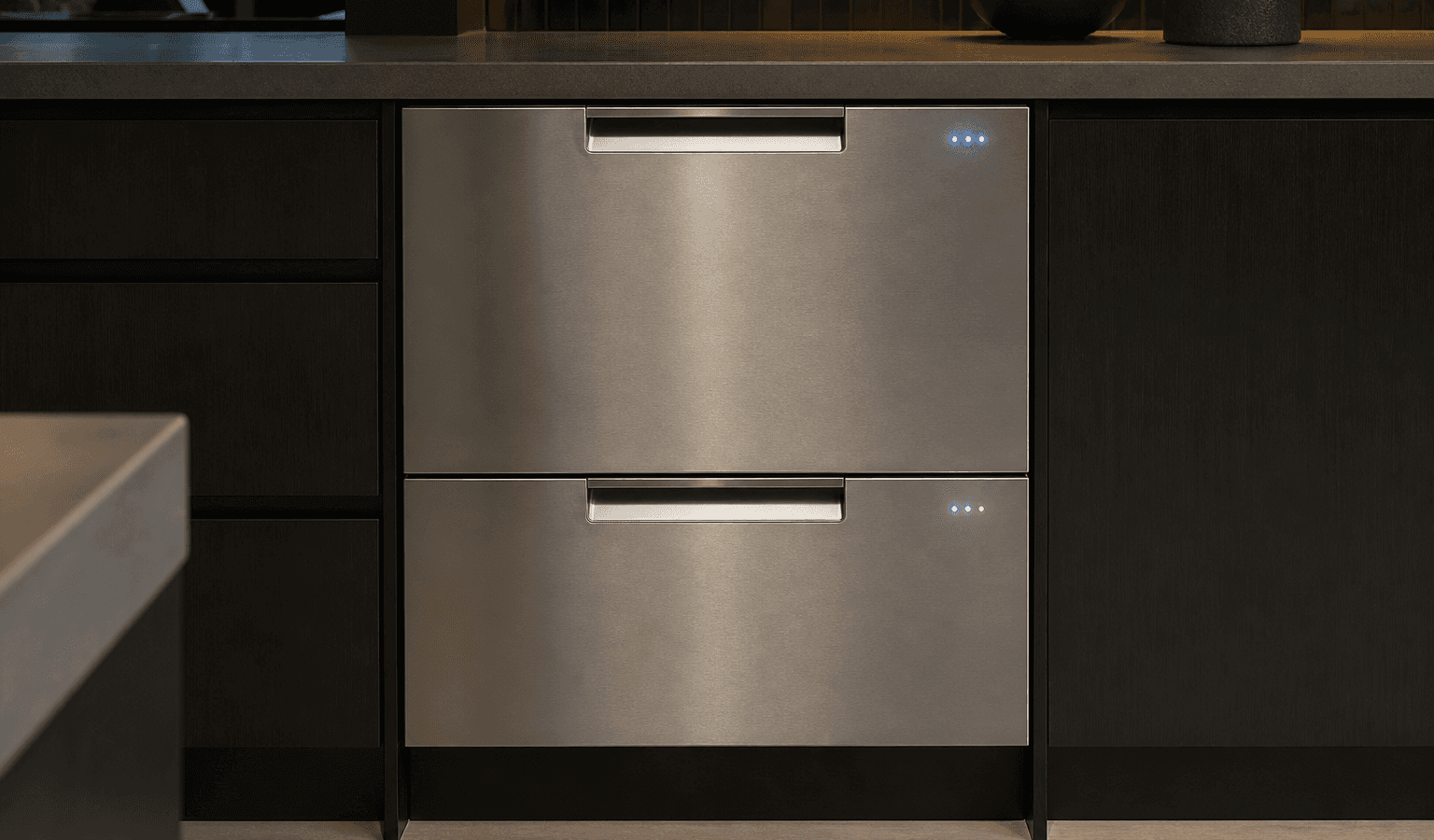
A DCS DishDrawer that has lights or power but will not start may be waiting for a closed-drawer signal, water supply, valid control input, or resolution of a stored error.
When a DishDrawer has power but never starts, the cause is often a condition the control is waiting on: the drawer not fully closed, a lock setting still on, or no water supply. Check those three first. If all are correct and it still will not begin, it needs model-specific diagnosis.
A lit display with a wash that never begins is a different situation from an appliance that is completely dead. The control may be holding back because one of the conditions it needs to see has not been confirmed.
Since the drawer still responds, do not rush to replace parts. Go through the easy conditions you can verify safely first, and let whatever symptoms are left show whether professional testing is needed.
The drawer is not fully closed or correctly aligned.
The lid or the closure sensing is not reporting a safe, shut position.
Control lock or another user setting is active.
The water supply is unavailable.
A stored error condition prevents the cycle from starting.
A user-interface, wiring, or controller issue.
| Symptom | What it can point to | What you can check |
|---|---|---|
| Display lit, nothing happens when you press Start | Drawer not fully closed, or a lock function on | Close the drawer firmly and check for Keylock or Childlock |
| Beeping when you press Start | The control refusing to run for a detected condition | Look at the panel for a fault code |
| Drawer will not open either | Childlock or closed-drawer autolock | Hold the button until the symbol or light goes off |
| Start works only sometimes | An intermittent closure, water or control issue | Note when it fails and book diagnosis |
Confirm the drawer closes fully, that no tall item interferes with the lid area, and that no lock setting is on.
Make sure the drawer shuts all the way and nothing tall reaches into the lid area.
Check whether a control-lock function is enabled on your model.
Verify the water supply is on.
Look for an error code or unusual indicator pattern.
Cancel and restart once the normal way, or restart the power once, as the user guide describes.
Keep away from live panels, leave safety switches alone, do not touch gas components, and stop using any appliance that leaks, overheats, keeps tripping a breaker, or gives off a gas smell that will not go away.
Working buttons and a lit display show that power reaches at least part of the machine. So the search moves away from the household circuit and toward closure detection, whether water is available, any stored error, and what the control is actually sending out.
The troubleshooting list in the guide for DishDrawer models is short. For a drawer that will not start it asks you to check the power supply, that the drawer is firmly closed, that Keylock or Childlock is off on three-button models, and that the start button was actually pressed. These are the same conditions this article describes, which is a good sign that you should work through them in order.
A drawer that will not open and does not beep may have Childlock or the closed-drawer autolock turned on. The guide says to hold the button until the symbol or light goes off. It also notes that if control buttons inside the drawer do not respond, water may be over them, and wiping the area dry should come before anything else.
If the panel looks frozen, or the drawer stopped starting right after a short outage, power it down and back up a single time. The user guide has to allow it, and the route is the regular disconnect, power button or breaker.
A restart does not mend a lasting fault in the sensors, wiring or electronics, and it does nothing for mechanical, gas, water, heating or refrigeration problems either. If the drawer fails to start again after running normally, repeating the power cycle tends to hold up diagnosis instead of speeding it.
If the drawer keeps trying to shut, makes odd mechanical noises, or still will not start although it closes properly and water is on, line up model-specific diagnosis.
Limit what you do at home to owner-level work such as cleaning, settings, loading, vents, hoses in plain view, cookware and other tasks designed for users. Electrical testing inside the unit, gas-pressure work, sealed refrigeration work and repairs to powered parts need trained people with the right equipment.
The two kinds of beeping mean different things in the guide. Beeps that come and go signal pause mode: shut the drawer and press the button to carry on. A steady beep signals a fault, with the code on the program panel and, on Classic models, on the display. Knowing which you have shows whether the drawer is merely paused or truly declining to run.
A power failure in the middle of a cycle resumes in the same part of the program once power returns, so a drawer that stops after an outage may not need any repair at all.
Should the basic checks leave things as they were, a technician can test the dishdrawer’s relevant parts while they operate, which beats replacing them by guesswork. Bring the full DCS model number, serial number, any code or light pattern on view, and a short account of when it fails to the booking. Together they point toward the right product generation and diagnostic procedure.
A start problem that comes and goes is the case where professional diagnosis earns its keep. Service data for your specific model, component-level measurements and stored diagnostic records can show things no visual check will.
DCS Error Codes
DCS DishDrawer Repair
DCS Appliance Repair
DCS Model Number Guide
Related symptom and maintenance articles for this appliance family
The control may be waiting for a closure signal, water supply, an unlocked state, or resolution of a stored error.
Yes. Tall or badly positioned items can interfere with drawer/lid movement on some DishDrawer designs.
No. Repeated inputs do not correct a mechanical, water-supply, sensor, or control issue.
Share a few details and we’ll confirm an appointment. Prefer to talk? Call us and we’ll help right away.
Fields marked with * are required.