

Specialized DCS Appliance Repair in Los Angeles and Orange County
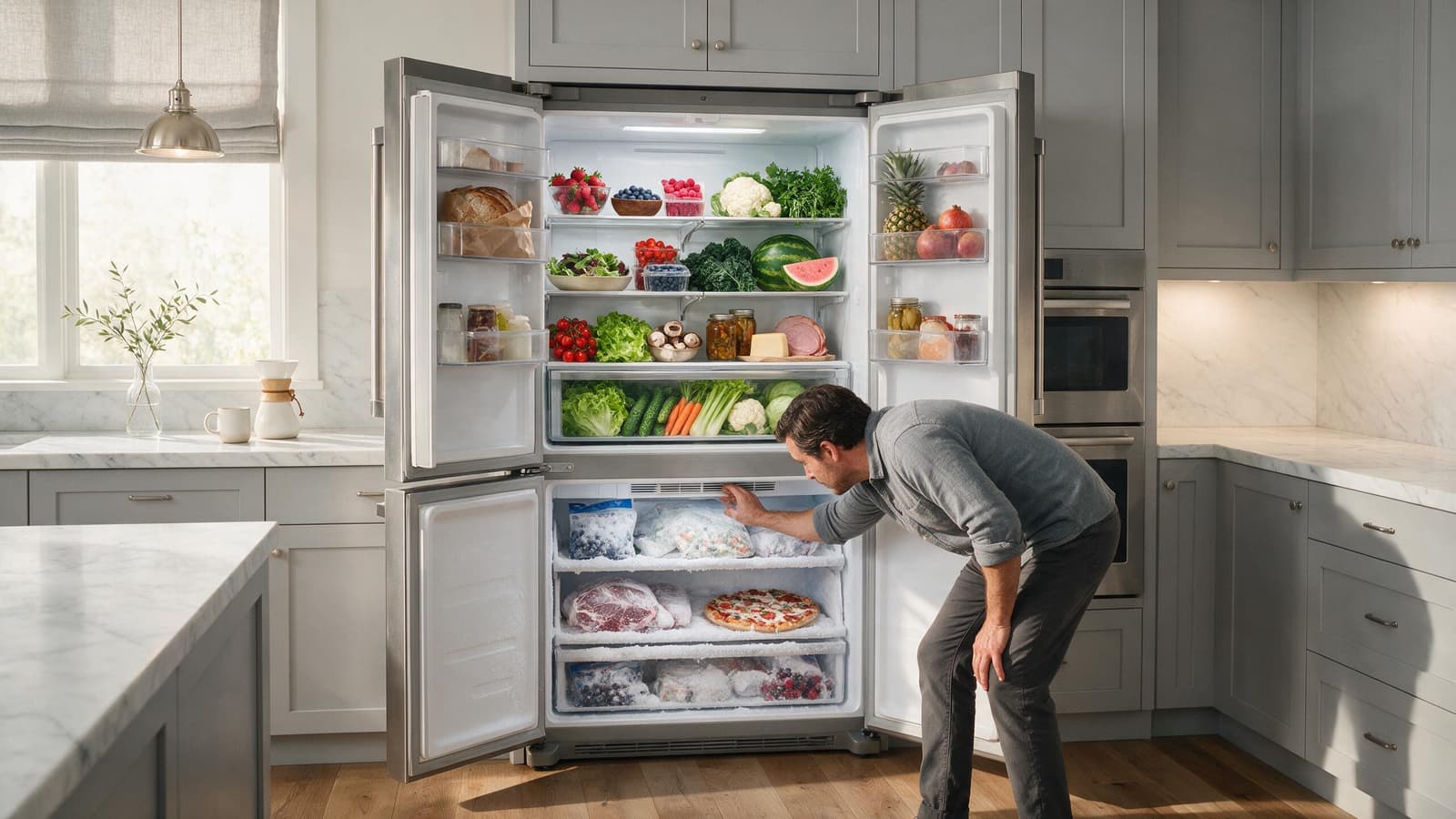
When the freezer is cold but the refrigerator section is warm, the cooling system may still be working while airflow into the fresh-food compartment is restricted.
When the freezer stays cold but the refrigerator section is warm, cold air is probably not reaching the fresh-food side. Check that vents are clear and the door seals, and if food temperatures are unsafe, move perishables and book service.
Cold in the freezer but warm in the fridge tells you something specific: the cooling system is making cold, yet the fresh-food side is not getting its share or is not controlling it properly.
If the DCS unit is still running, resist guessing at a part to replace. Begin with the conditions you can check safely at home, and let what remains decide whether the problem calls for a technician’s testing.
Food containers blocking supply or return-air vents.
A fan that moves air to the fresh-food side but runs slowly, is blocked, or has stopped.
Frost or ice restricting an internal air passage.
A damper or flapper that is not opening as commanded.
A fresh-food temperature sensor giving the control inaccurate information.
A leaky door seal that keeps letting room-temperature air into the fridge section.
| Symptom | What it can point to | What you can check |
|---|---|---|
| Fridge warm, freezer cold | Cold air not moving into fresh food, or a compartment-specific control | Clear food away from visible vents |
| Fridge warm and frost near the vents | Ice restricting an air passage | Note where the frost sits and arrange diagnosis |
| Fridge warms after door openings | A gasket that is not sealing | Check the gasket sits flat all around |
| Fan silent with the door closed | A fan or its control not running | Listen without defeating door switches |
Shift food and containers so every vent you can see has clear space around it, and make sure the door seals tightly.
Rearrange food so visible vents have open space around them.
Inspect the fridge door gasket along its full length, and confirm the door swings shut without catching.
With the door shut, listen for a fan running. Fan behavior differs by model, and door switches should never be taped or bypassed to make one start.
Look for unusual frost or ice near interior air outlets.
Look at the fridge temperature setting. Pushing it to the coldest extreme will not speed up cooling, so leave it at a reasonable value.
Never take off panels that carry live power, defeat safety switches, or touch gas parts. Stop using the appliance if it leaks, runs hot, keeps tripping a breaker, or gives off a lingering gas smell.
When cold air has no path into the refrigerator side, a colder dial setting leaves that blockage in place. The system just runs for longer while the fresh-food side stays warm. Getting air moving again and giving the control an accurate temperature reading matter more than the number on the dial.
On many refrigerators, the freezer holds the cooling surface and a fan moves some of that cold air into the fresh-food section, regulated by a damper and a temperature sensor. If any of those links fail, the freezer can stay cold while the other section drifts warm. That is why the pattern points toward airflow and control rather than the freezer alone.
A cold freezer shows the refrigeration process is working to some degree. It does not prove every part is fine, and it does not tell you whether the fault sits in a fan, damper, sensor or an ice-restricted passage. It narrows the search without ending it.
One deliberate restart makes sense if the electronic control seems stuck or the trouble started right after a short power outage. Use only the disconnect, power button, or breaker that the owner’s guide permits for this.
Resetting does not fix an ongoing mechanical, gas, water, heating, cooling, sensor, wiring, or control fault. When the symptom comes back once the unit is running normally, cycling the power again mostly postpones a proper diagnosis.
Should the fridge side be too warm for safe food storage while the freezer stays cold, move perishables elsewhere and arrange a service visit. The fan, damper, sensor, or defrost system may need testing.
Keep home troubleshooting to what an owner is meant to do: cleaning, settings, loading, airflow clearance, visible hoses, cookware, and similar checks. Electrical testing inside the unit, gas-pressure work, sealed-system repair, and powered mechanical work belong to people with the right training and tools.
If fresh-food temperatures are unsafe, protect the food before troubleshooting. Move perishables to cold storage and avoid long door openings while you check vents and gaskets.
Setting the control colder does not fix a blocked passage, and repeatedly adjusting it can confuse the picture a technician needs to see.
When these checks change nothing, a technician can run the suspect refrigerator parts while the unit operates, rather than swapping components on a hunch. For the booking, have the complete DCS model number and serial number ready, plus any code or light pattern on the display and a brief note on when the fault appears. These details point to the right product generation and the right test procedure.
A fault that comes and goes is where professional diagnosis pays off most. Model-specific service data, measurements taken on components, and stored diagnostic records reveal things a visual check cannot.
DCS Error Codes
DCS Refrigerator Repair
DCS Appliance Repair
DCS Model Number Guide
Related symptom and maintenance articles for this appliance family
It shows that the appliance is producing at least some refrigeration, but it does not rule out every compressor or sealed-system issue. It does make airflow and compartment-control problems more likely.
Yes. Ice can restrict airflow even while the freezer still feels cold. The cause of the icing also needs to be identified.
A full manual defrost may temporarily restore airflow on some models, but it can also hide the underlying cause. Do not disassemble energized panels or use sharp tools to remove ice.
Share a few details and we’ll confirm an appointment. Prefer to talk? Call us and we’ll help right away.
Fields marked with * are required.