

Specialized DCS Appliance Repair in Los Angeles and Orange County
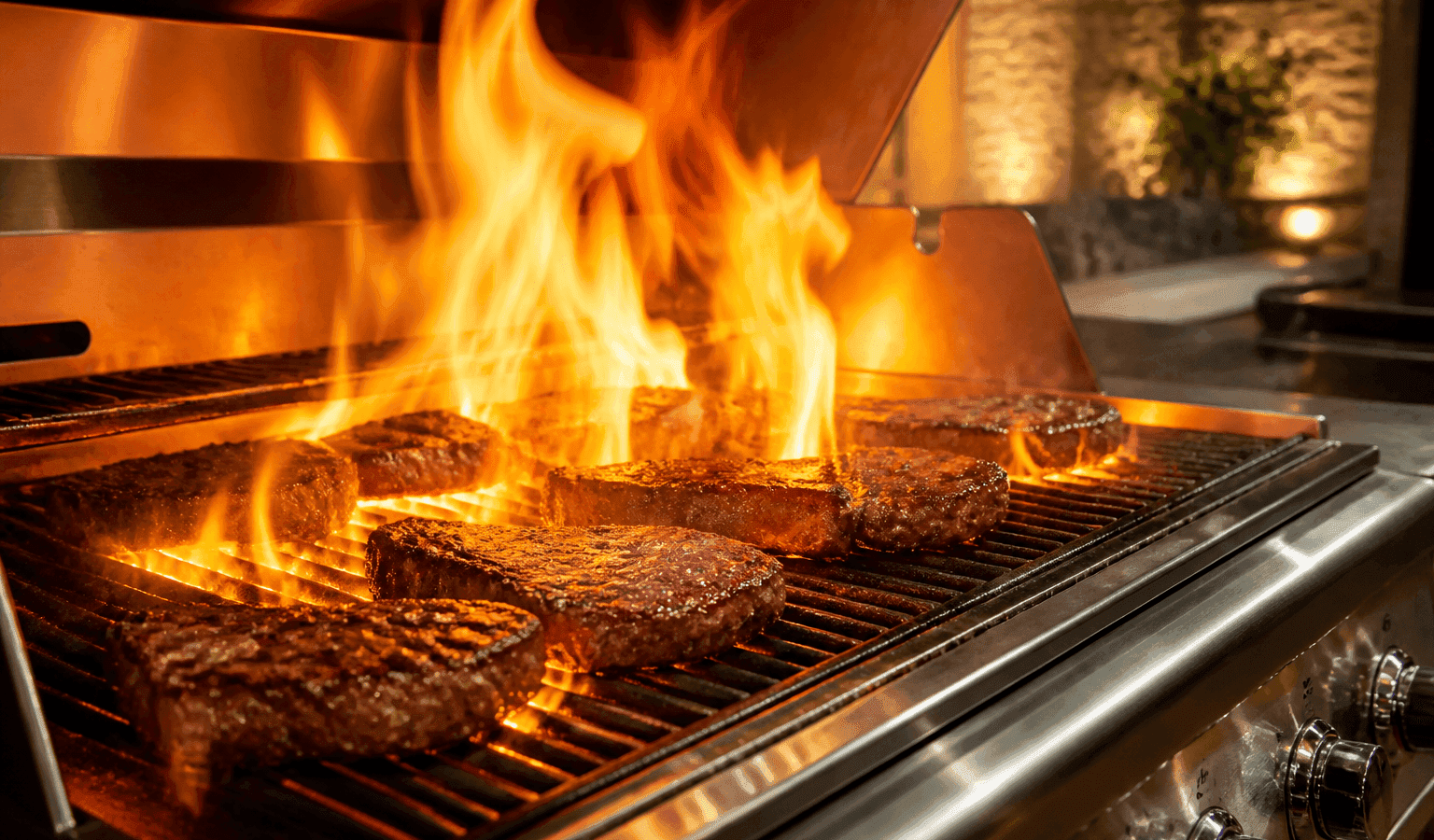
Minor flare-ups can be normal when fat hits a hot surface, but frequent or severe flare-ups may point to grease buildup, grate positioning, radiant-tray issues, or cooking technique.
Flare-ups on a DCS grill usually trace back to grease reaching the flames: a drip pan that is not fully seated, grease sitting on the ceramic rods, or very fatty food over high heat. Lower the controls to put out a flare-up and never use water on grease. If large flames keep returning after the grill is clean and correctly assembled, have it diagnosed.
One short flare as fat drips off food is not necessarily a defect. Large flames that keep coming back and make heat hard to control are a different matter: food burns, and grease may be piling up or falling somewhere it shouldn’t.
If the grill is still working, parts shopping can wait. Go through the checks that are safe to do at home, and let the symptoms that remain suggest whether a professional test is the next step.
Grease and food residue have accumulated in the grill.
Grates or radiant components are positioned incorrectly.
Grease is running toward the radiant tray rather than along the path meant for it.
Very fatty food is being cooked directly over high heat.
Damaged or deteriorated radiant components are affecting heat distribution.
Burner output or heat distribution is uneven.
| Symptom | What it can point to | What you can safely check |
|---|---|---|
| One short flare when fatty food first hits the heat | Fat dripping onto hot surfaces, which the grease path is meant to handle | Trim visible fat and lower the controls for a moment |
| Flames jump on every cook and the pan area looks greasy | A grease tray or drip pan that is full or not pushed fully to the back | With the grill off and cool, empty the tray and seat the pan all the way back |
| Grease shows on top of the ceramic rods | Rods carrying more grease than they can burn off | Follow the rod burn-off steps in your own use-and-care guide |
| Flames are noisy, lift off the burner or look yellow as well | A burner airflow issue rather than a grease issue | Treat it as a separate flame problem and check the burner inlet when cool |
Turn the grill off and let it cool. Then clean grease from the visible surfaces and check that the drip pan sits fully in place.
Turn the grill off and let it cool before cleaning.
Clean grease and residue using the DCS care procedure. On many DCS grills the grease tray is cleaned after each use, so check whether yours has been emptied recently.
Verify grates and radiant components are installed in the correct orientation.
Trim off heavy outer fat and change how you cook fatty cuts.
Inspect user-accessible ceramic/radiant components for obvious damage.
Don’t pull off energized panels, don’t override safety switches, and don’t modify gas parts. If the appliance is leaking, overheating, tripping the breaker again and again, or giving off a gas odor that persists, shut it down and leave it off.
Yes, they can. Grease buildup and misplaced grates or radiants are maintenance signals, so look at how clean the grill is and where grease travels.
Owners tend to look only at burner power, yet grease handling is part of how a grill performs. When flare-ups worsen over time, examine how clean the grill is, how the grates and radiants sit, and the route grease takes through it.
The use-and-care guide for one DCS professional grill describes a Grease Management System and ceramic radiant rods that control flare-ups by channeling grease away from the flames or keeping it off them. That design only helps when every piece is in place, so a missing or crooked part changes how drippings behave.
The same guide says never to grill without the drip pan and grease tray installed, with the pan pushed fully to the back, and to clean the grease tray after each use. If grease is visible on the rods or flare-ups are heavy, it describes flipping the rod trays and running the grill on HI for 30 minutes, longer for heavy soil, and says the rods otherwise burn themselves clean.
A lone, intentional power cycle can help if an electronic control appears hung up, or if trouble started after the power flickered. Use the regular disconnect, power button or breaker, and only when your user guide says to.
Resetting does not cure a problem that returns, be it mechanical, gas, water, heating, refrigeration, sensor, wiring or electronic. If the symptom comes back once normal operation resumes, repeating the power cycle is more apt to postpone the diagnosis than settle it.
If flames keep going after you’ve turned the controls off, treat it as a grease fire and follow proper fire-safety guidance. Water must never go on a grease fire.
Stick to owner-level jobs: wiping and cleaning, settings, airflow, visible hoses, cookware. Electrical testing inside the grill, gas-pressure adjustment, sealed refrigeration repair and fixes to powered mechanisms belong to people with the training and equipment for them.
If checking the basics does not change anything, a technician can run tests on the grill’s relevant components while it is operating, instead of replacing parts on a hunch. At booking, pass along the full DCS model number, the serial number, any code or light pattern, and a short description of when the flare-ups happen. This helps pin down the product generation and the proper diagnostic procedure.
Inconsistent symptoms are the strongest reason to bring in a professional. With model-specific service information, component measurements and stored diagnostic data, a technician can learn things that a visual check alone never shows.
DCS Error Codes
DCS Grill Repair
DCS Appliance Repair
DCS Model Number Guide
Related symptom and maintenance articles for this appliance family
Small brief flare-ups can occur with fatty foods. Persistent or severe flare-ups should be corrected.
Deteriorated radiant components can affect how heat is distributed and how drippings behave. Inspect the exact grill system before replacing parts.
No. Water can spread burning grease. Turn off heat if safe and follow grill/fire-safety guidance.
Share a few details and we’ll confirm an appointment. Prefer to talk? Call us and we’ll help right away.
Fields marked with * are required.